Your recording is the ad. Generated media is the garnish: a still behind your end card, a few seconds of motion you couldn’t film, a score under your demo, a voice that walks people through it. This guide covers what Studio can make for you, what it costs, and the one rule that never bends: you see the price and approve it before anything runs.
What Studio can make
| Kind | What you get | Price |
|---|---|---|
| Image | One still from a description, in 16:9, 9:16 or 1:1 | 0.15 |
| Video | A silent 5 to 15 second shot, animated from one of your images | 0.60 to 1.80 |
| Music | An original instrumental track, 15 seconds to 5 minutes | from 0.10 |
| Voice | One line of your script, up to 1,000 characters, read in an ElevenLabs voice | 0.15 |
Everything you generate lands in Media as an ordinary asset, next to your recordings. Nothing goes on the timeline until you put it there.
Open the Generate panel
In Media, choose Generate. In an empty project you can also use Or generate a single image, video or music track under the start buttons. Switch between Image, Video, Music and Voice at the top. The panel’s header names the model it will use, along with your balance.
Generation needs your Hubfluencer account. If you’re not connected, the panel shows Connect your Hubfluencer account, and reminds you that recording and editing are always free.
Images
Choose Image, fill in Describe the frame, pick an Aspect ratio, and you’re ready to review. Images are good for title-card backgrounds, a place, or a clean product still. When one arrives, Add to timeline places it, and Animate starts a video draft from it.
Video shots
Choose Video. A shot always starts from one picture in your library, under Start image: a photo you imported or a still you generated. Frame it with Zoom, X and Y, write what should move in Describe the motion, and pick a Duration from 5 to 15 seconds. Shots are made with MiniMax H3 Max.
The cropped start image is uploaded to Hubfluencer for that one request, and the review shows you the exact crop being sent. Shots come back silent (Video audio is off), so they sit under your own sound instead of fighting it.
Music
Choose Music, fill in Describe the music (mood, instruments, energy, how it ends), then pick a Length: 15 s, 30 s, 60 s, 2 min, 3 min or 5 min. Tracks are instrumental only. A track lands in Media named Music · plus the first words of your description. Drag it onto an audio track, then use Inspect to set its volume and fades. Match the length to your edit: a 30-second ad wants the 30-second track.
Voiceover
Choose Voice to have your own words read aloud:
- Language: English, French, Spanish, Japanese and nine more. The voice list follows it.
- Voice: each voice lists its accent, gender and use, some carry a Featured mark, and the play button beside a voice plays its sample before you spend anything.
- Script: the exact words, up to 1,000 characters. A counter under the field shows how many you’ve used, out of 1,000.
A line holds at most 1,000 characters and the price is 0.15 per started 1,000, so every line costs 0.15. The review shows the Voice, what it Says and the Language. Once approved, the line lands in Media as Voice · plus its first words. Add to timeline puts it at the playhead, on an audio track called Voiceover that Studio adds the first time. Studio remembers the voice you last used, so the next line starts in it.
A worked example
A 20-second Northwind demo shows three steps. The panel’s own advice is One line per step gives you clips to place under each moment, so write three short lines rather than one paragraph:
| Step | Starts at | Script |
|---|---|---|
| Open revenue | 0:01 | “This is Northwind: your revenue at a glance.” |
| Spot the jump | 0:07 | “See a jump? Click it to find the deals behind it.” |
| Share the report | 0:14 | “Then share the whole story in one tap.” |
For each line: type it, choose Review generation, then Approve · €0.15. When it arrives, put the playhead on the step’s start and choose Add to timeline. Three lines cost 0.45. One three-sentence script would cost 0.15, but you’d split it yourself to land each sentence on its step.
A line that runs long can be tightened with Speed in the Inspector. Sound keeps its pitch. Or ask your agent to write and place the lines:
Write one short voiceover line for each step of the demo, ten words at most, in my chosen voice. Put them in one price review. Once I've approved and they've arrived, place each line at the start of its step.
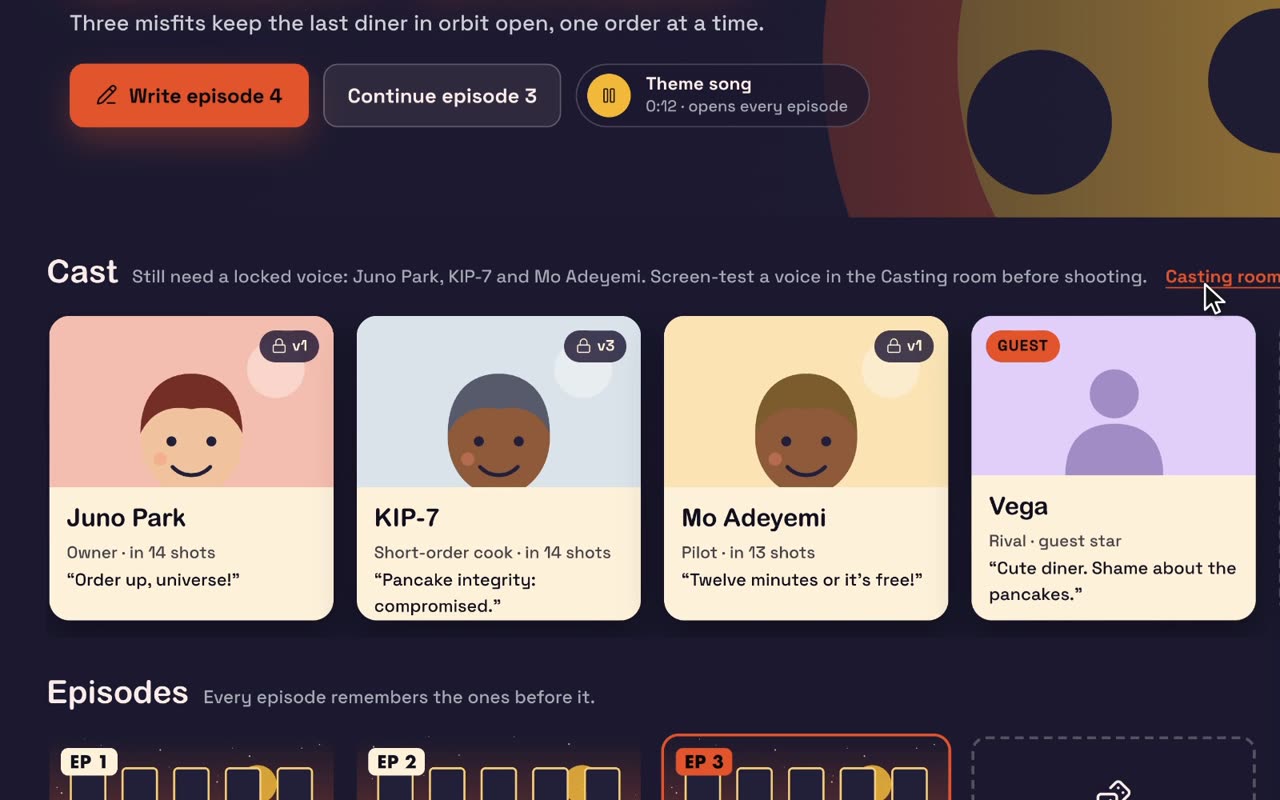
Rather use your own voice? It’s free: Record ▸ Add commentary plays your edit while you talk over it. In Series, characters speak inside their shots, in a voice you design or screen-test in the Casting room, so an episode doesn’t offer the Voice tab.
Review and approve
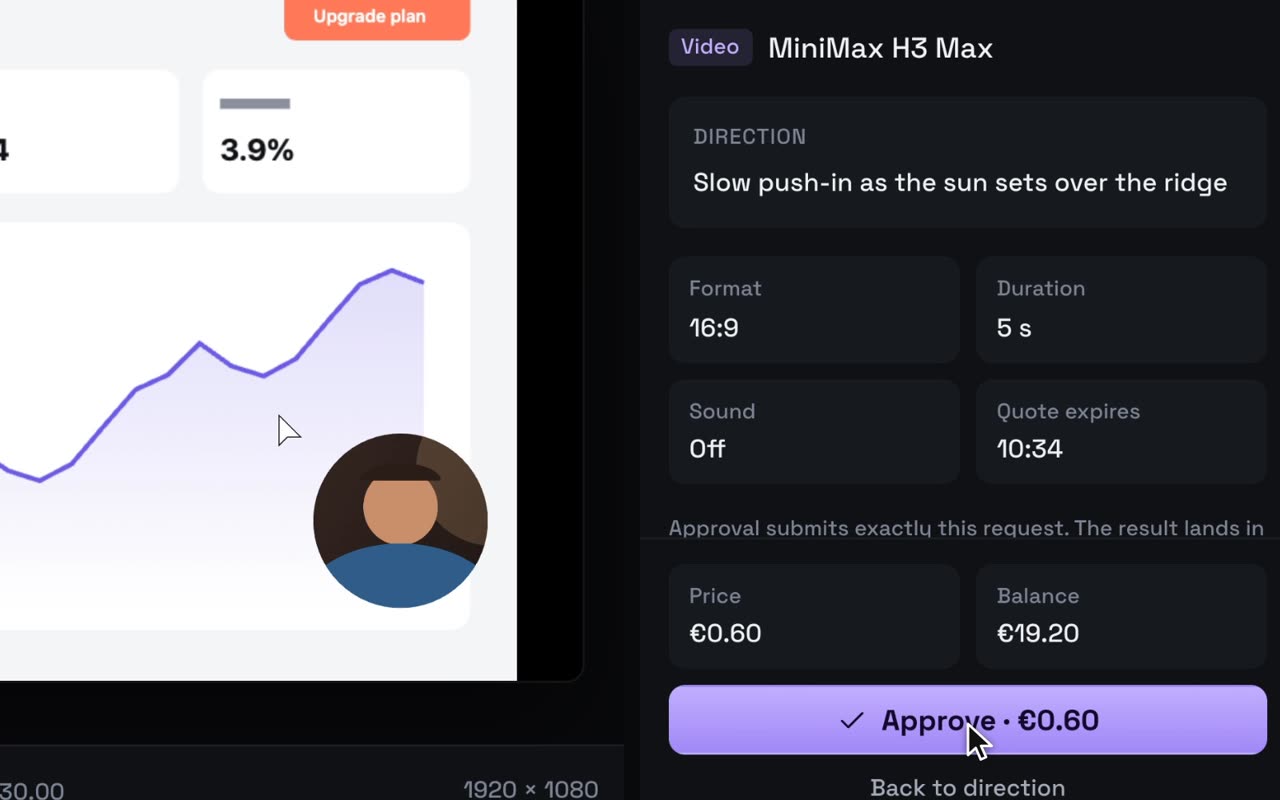
Choose Review generation. Underneath, the panel promises Nothing is generated or charged until you approve. The panel becomes Review and approve, with a reminder: One request, one result. It shows:
- the model, and your Direction word for word (what it Says, for a voice line),
- Format, plus Duration for video, or Length and Vocals for music,
- Sound for video (Off), and the time the Quote expires,
- the Price next to your Balance.
Choose Approve · €0.60 (the button always carries the price), or go back and change something. If your balance is short, Studio says by how much and offers Add … to continue, which opens Add Funds with enough preselected. If the quote expired, Refresh review fetches a new one.
In the Agent panel, your agent can prepare a request and open this review, and that’s where its part ends. A terminal agent tells you the price, waits for your yes, then approves with a spending cap. Studio refuses anything above that cap, or above the Daily limit for agent approvals in Settings ▸ Agents (10.00 to start; zero sends every approval back to you).
One approval, one output
Approving saves a receipt before anything is sent, so you’re never charged twice:
- Studio quits, or the network drops? Reopen the project. Studio recovers the same request by its saved ID and imports the result once.
- The download failed? Retry download fetches the result again, without generating or charging again.
- Signed in to another account? The result waits until you reconnect the account that approved it.
- The generation failed? It’s refunded in full. Try again copies your request into a new draft to review.
- Want a different version? Another take copies it into a new draft, with its own quote and its own approval.
Prices
| What | Price |
|---|---|
| Image | 0.15 |
| Video, 5 s | 0.60 |
| Video, 8 s | 1.00 |
| Video, 10 s | 1.20 |
| Video, 15 s | 1.80 |
| Music | 0.10 up to 20 s, then about 0.25 a minute |
| Voice line, up to 1,000 characters | 0.15 |
| Recording, editing, tools and export | Free |
Prices are the same number in euros, dollars and pounds, charged in your account’s currency. Every video length from 5 to 15 seconds is available, and the review always shows the exact price.
Garnish, not substance
People believe your real product doing its real thing. A generated shot can set the mood, but it can’t prove anything:
- Never generate your interface. If it’s on screen, record it. A generated “app screen” shows something that doesn’t exist.
- Let the demo carry the time. Give the recording well over half of a 30-second ad. Spend generated seconds on the opener, a transition or the end card.
- Start from your own pictures. Animate your logo or product photo rather than describing them from scratch.
- Let the voice follow the picture. One short line per step, landing as the step starts. Don’t narrate what viewers can already see.
- Score it, then get out of the way. Music under a voice should be felt more than heard. Pull the volume down in Inspect.
- Say what’s generated. When an edit contains generated media, the export’s Save dialog offers Show AI-generated content badge, on by default. Leave it on.
Here’s a whole garnish pass, asked of your agent in one go:
My demo recording runs 24 seconds. Prepare a 5-second opener from the Northwind logo still (a slow push-in, warm light) and a 30-second calm lo-fi track with soft keys. Put both in one price review. Once I've approved and they've arrived, place the opener before the demo and the music under everything at low volume.
Next
- A product ad from one photo: the Product ad panel does the whole garnish pass for you, €1.90 for 15 seconds.
- Polish a recording with your agent: cuts, zooms, titles and voiceover, by asking.