





Skip to content
Hubfluencer STUDIO

Hubfluencer Studio 2.0 for Mac

Every creation
deserves a trailer.

Record the app you built, the product you make or the story you dreamed up. Direct it with the coding agent you already use, and ship a video people actually want to watch. All on your Mac.

macOS 15+ on Apple Silicon · No account needed · Free forever, with a small badge on exports

What are you showing?
InputScreen
Your raw recording 20 seconds of clicking around. No edits.
Direction

“Cut the waiting, zoom into the clicks, put a title on each step.”

Output · 1920×1080 MP4 · 00:22

The finished trailer is a real Studio export of the sample project that ships with the app.

  • Display or window capture
  • Claude Code or Codex
  • Series with a steady cast
  • Video, music and voices
  • 1080p MP4, 16:9 or 9:16

How it works

Three takes.
One trailer.

Studio records you, your agent makes the cut, your Mac renders the file. You stay in the director's chair, with undo on every move.

Real Studio interface · a coding agent cutting, zooming and titling on the timeline

These clips show Studio's own interface running with sample data; the agent's words and some waits are scripted or sped up.

Agent-built tools

Your agent builds the tools you wish you had.

Connect Claude Code or Codex in Studio's Agent tab and give it the brief. It looks at your frames, cuts, zooms, and adds titles on the timeline, and builds you custom controls for the edits you repeat. You see every edit, approve anything paid, and can keep working by hand.

Build me a zoom punch-in control for the chart.

Zoom punch-in is ready. It previews live on the video, and nothing changes until you apply it.

Connect the coding agent you already use

Start in Studio: Agent → Setup & sign-in. Away from your Mac? Your agent can use the cloud Editor through MCP.

Uses your own agent setup. Your agent's account and usage terms still apply.

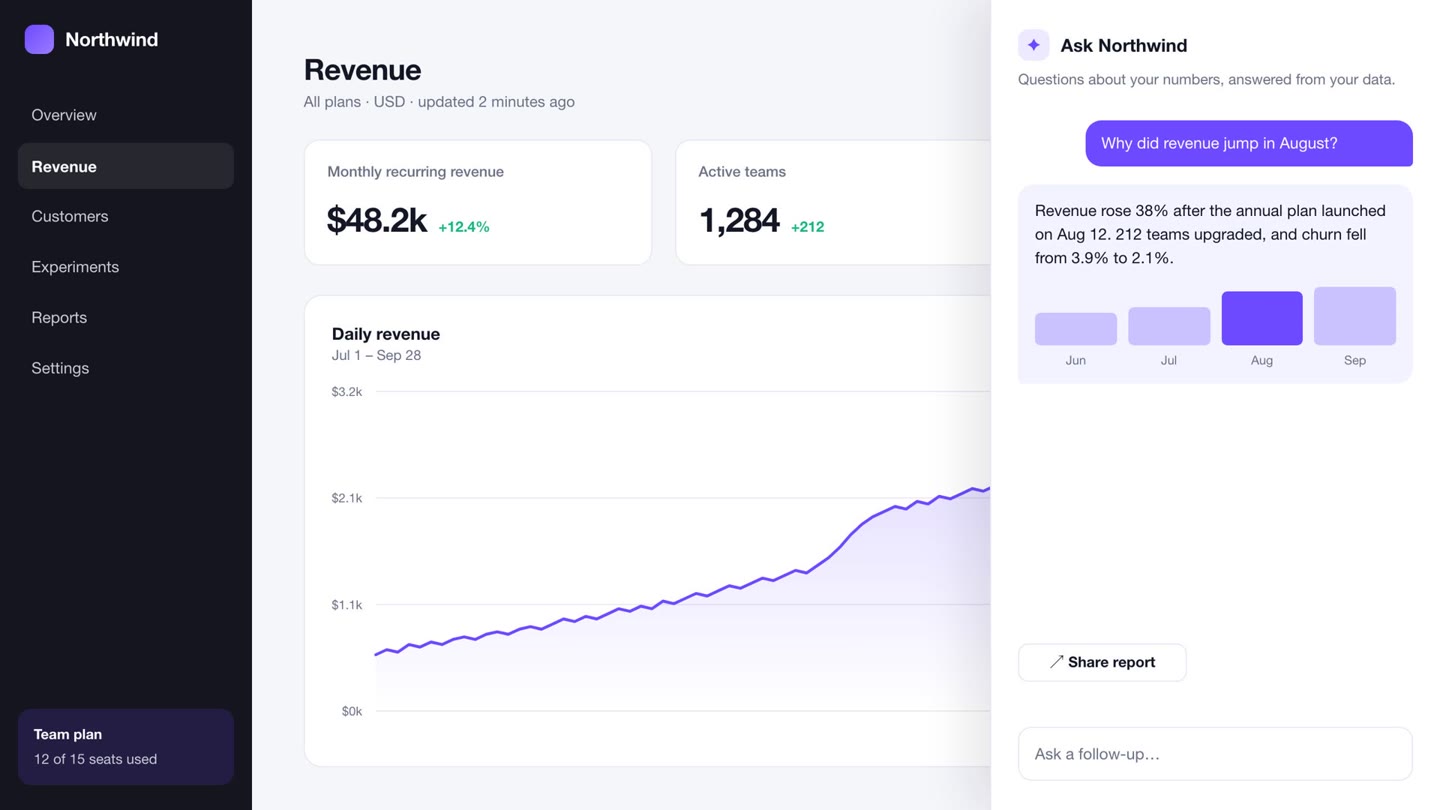
Studio preview of the Northwind revenue chart Live preview
Zoom punch-in By your agent

Pushes in on the chart, holds, then eases back out.

Hold

Go on, drag Punch-in. A control like this is one sentence away.

In Studio: the agent builds Zoom punch-in, and its slider previews the zoom live.

Imagine

Or start with
nothing but an idea.

Studio generates too: whole series with a cast that stays in character, video segments, original music and voices. Every request shows its price first and waits for your OK.

Series New

Make a show.
Keep the cast.

Cast your characters once and they keep their faces, outfits and voices in every shot of every episode. Studio runs the production like a real one.

  1. Pitch room Pitch an idea. The writers' room drafts a world, a look and a cast.
  2. Casting room Give each character a face, an outfit and a voice. Lock the sheet.
  3. Writers' room Plan the episode beat by beat. Punch up a line, add a twist.
  4. Read-through The episode lands on your timeline as an animatic, every line voiced.
  5. Shoot day Approve the whole shoot at once. Each still becomes video in place.
  6. That's a wrap Keep the story so far, pick the next premise, export.

12 looks

  • Claymation
  • Anime
  • Paper cutout
  • Storybook
  • Film noir
  • Puppets
  • Comic book
  • +5 more
BO FIXES THINGS · Episode 1 AI-generated

Bo Locked · v1 Small clay robot. Fixes things.
Theme song Instrumental · 18 s · generated

Three shots filmed, two to go. The price shows before anything runs. Shoot the last 2

Your cast, everywhere Show home · Casting room · voice screen test
Read-through to shoot day Stills, lines and theme, then real shots
Still → 5 s shot

Video segments

Film the shot you never filmed.

Animate any still into a 5 to 15 second segment and drop it straight onto the timeline.

$0.60–$1.80 per segment

Music

A score cut to your length.

Describe the mood and get an original instrumental from 10 seconds to 5 minutes. Theme songs for your shows, too.

$0.25 a minute, from $0.10

“Hold still… there. Good as new.”

Voices

Every character, their own voice.

Cast a voice with the character and it delivers their lines, in the read-through and on shoot day.

$0.15 per 1,000 characters

Generated product photo of a ceramic mug Generated character sheet of Bo Generated product photo of an amber bottle

Images

Stills, places and cast sheets.

Backgrounds, places, product shots and cast sheets, ready to animate or drop in.

$0.15 per image

Product ad

One photo in.
A moving ad out.

Drop in a photo of what you make. Studio animates it into a hero shot, scores it and writes three lines of copy you can change.

  • Warm & calm
  • Clean & bright
  • Bold & vivid
Product photo of an amber glass bottle on travertine

One panel · price first

See the price. Approve. Only then does it run.

A failed request is refunded in full. Recording, editing and export never cost a thing.

Made with Hubfluencer

Real apps. Real launches.
Cut by an agent.

Each of these started as a screen recording of a real app and was cut by the founder's own coding agent in Hubfluencer.

  • Sunday JazzFeature ad · 22 s
  • NojiWidget spotlight · 34 s
  • BenzaiFlowLaunch demo · 26 s
  • RythmeLaunch ad, French · 15 s
  • NojiCharacter ad, French · 27 s

Local first. Coffee optional.

Your footage stays put

Recording, editing and rendering happen on your Mac. Nothing is uploaded to cut it.

No account to start

Download, record, export. Sign in only when you want cloud generation.

Priced before it runs

Generation shows its cost and waits for your OK. Editing is always free.

Pricing

Free to make. $99 to make it yours.

Try the whole local editor. Keep using it for free. Buy a licence when you'd like your exports without the Studio badge.

Free

$0 forever

For “let me try this on the thing I just shipped.”

  • Record, edit, add titles, and render locally
  • Agent editing and agent-built tools
  • 1080p MP4 exports, landscape or vertical
  • A small Studio badge on every export
Download for macOS

No account. No card. No countdown.

Studio Licence

Includes $10 of generation

$99 once · plus tax where applicable

For “okay, this is part of my launch stack now.”

  • Everything in Free, with no badge on exports
  • 12 months of updates — every build released in that window stays yours for good
  • Use it on up to 3 of your Macs
  • $10 of AI generation included, added to your account balance
  • Optional renewal: $49 for the next 12 months of updates, whenever you want them
Buy the licence — $99

One payment. Keep the builds you own. Renew only if you want newer ones.

Optional cloud generation is paid from a prepaid account balance in EUR, USD or GBP; the licence starts it with $10. Studio shows the price and asks for approval before generating images, video, or music.

Fair questions

Before you give it
some disk space.

Do I need an AI agent to use Studio?

No. Record, edit, style, and export using the native editor. Connect your own Claude Code or Codex when you want to direct the work in words. The agent is optional; its account and usage are separate.

Is free actually free, or “enter your card” free?

Actually free. Local recording, editing, and export need no account or card. Free exports include a small Studio badge. The $99 licence removes it; optional cloud generation is paid from your prepaid account balance.

Can I make a demo of my web or mobile app?

Yes. Record your browser window, your desktop app, or the iOS Simulator window. You can also import existing recordings. Studio itself runs on Apple Silicon Macs with macOS 15 or later.

What can Studio generate?

Images, video segments, music and, in Series, character voices. Images cost $0.15, video segments $0.60 to $1.80 by length, music $0.25 a minute. Each request shows its price and waits for your approval.

Will my recording get uploaded?

The local editor records and renders on your Mac. Cloud features and connected agents can send the inputs they need to their services. Studio asks for approval before paid generation; local editing does not require it.

What happens after the 12 months of updates?

Keep using every build released during your licence's update window. A $49 renewal adds another 12 months of updates when you choose. Your existing builds stay yours.

No Mac. Am I out?

Studio is a Mac app. The cloud Editor is available from your agent when you're working without a Mac. Explore the cloud tools ↗

Your next launch
deserves a trailer.

Download for macOS

Free to record, edit & export · macOS 15+ on Apple Silicon · No account needed

Hubfluencer Studio in 30 seconds

Capture, edit, ship. The real Studio interface on a sample project, set to original AI music.